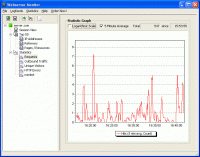
Webserver Monitor is an easy-to-use software for real-time logfile analysis and monitoring of Windows and Linux webservers.
Webserver Monitor is an easy-to-use software for real-time logfile analysis and monitoring of Windows and Linux webservers. It helps you not only to detect and analyze problems when they actually occur - continuous monitoring of your web server also enables you to discover problems long before they get serious. Webserver Monitor provides you with detailed status information about your webserver by analyzing the logfiles in realtime. There is no need to change your existing website by page tagging or embedding any additional code.
With Webserver Monitor, you will have detailed real-time insight in what is happening:
- See if your webserver is available and fully functional at a glance.
- Find out about problems with your website before your visitors do.
- Watch visitors moving around your website and see the impact of changes in configuration or content in realtime.
- See how many unique visitors are currently browsing your website, or how many visitors are accessing a specific resource on your website, right now.
- See a chart of the network traffic generated by visitors browsing your website in the last minutes.
- See how often a resource was downloaded from your website.
- Track events and scenarios of special interest with customizable counters and charts.
Webserver Monitor already provides many predefined tables and statistics charts, and you can still add your own statistics and charts very easily, e.g. to track the usage of special ressources.
Setup is simple and straight-forward: first install a Logfeeder agent on each webserver you want to monitor. Then install Webserver Monitor, configure it to connect to the Logfeeder agents and start monitoring. Whats new in version 1.2.1.3: New release Requirements: Windows NT/2000/2003/XP Operating system: WinNT 4.x,Windows2000,WinXP,Windows2003 Release notes: New Release
Analyze web site visitors' behaviour and get complete site statistics. Hierarchical reports with interactive navigation, charts, open database format. View statistics changing over time, compare reports for different intervals. Create custom reports.
Price: $199.95, Rating: 10, Downloads: 61 Download
Web Stats 2003, a powerful, fast and easy-to-use web log analyzer that generates the
"who, what, where, and how" of your web site's traffic.
Price: $34.95, Rating: 8, Downloads: 41 Download
User Rating
Rating:2.2 out of
5 Based on13 ratings.
13 user reviews.

 Webserver Monitor 1.2.1.3 details